Exception and Error handling

stanley
4/7/2026
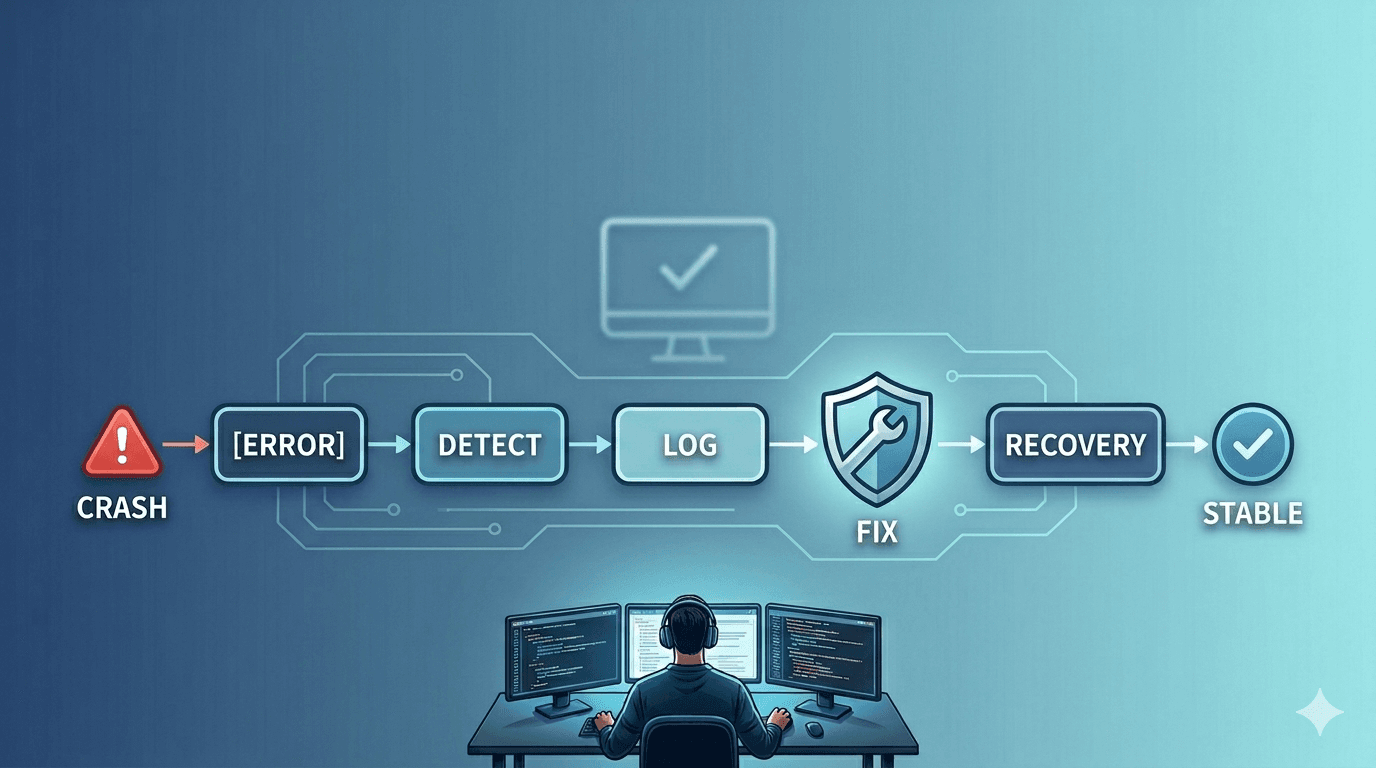
什麼是 Exception?
Exception 是在程式執行期間發生的異常狀況,用來中斷正常流程
Exception分類
- Operational Errors(可預期錯誤)
- 系統正常運行下可能發生,通常來自外部依賴或環境
- Network failure / DNS resolve fail
- 可預期 可恢復
- retry
- Programmer Errors(程式錯誤)
- 程式設計錯誤造成的 bug
- 不應該用 try/catch 掩蓋
JavaScript 裡面的錯誤種類
- Syntax Errors
if (true {
  console.log("Hello");
}
// SyntaxError: Unexpected token '{'- References Errors
console.log(b)
// Uncaught ReferenceError: b is not defined- Type Errors
// 範例 1:對非函式呼叫
let num = 123;
num();
// TypeError: num is not a function

// 範例 2:對 null 或 undefined 操作屬性
let obj = null;
console.log(obj.name);
// TypeError: Cannot read property 'name' of null

// 範例 3:對非陣列使用陣列方法
let notArray = {};
notArray.push(1);
// TypeError: notArray.push is not a function

// 範例 4:對不可寫入的值賦值
const PI = 3.14;
PI = 3;
// TypeError: Assignment to constant variable.- Range Errors
let arr = new Array(-1);
// RangeError: Invalid array length
什麼是 Exception Handling 例外處理?
在錯誤發生時,控制程式行為的一種機制
Exception Handling 處理的步驟
- 捕捉錯誤(catch)
- 判斷錯誤類型:
- 是否 retry
- 採取行動
- retry
- fallback
- terminate
- 紀錄錯誤:
- 把錯誤的狀況、類型、位置、使用者輸入的資訊 Log 出來
- 回饋給使用者:
- 把錯誤訊息顯示在 UI 上讓使用者知道後續處理方法
If else 跟 try catch 使用時機?差異?
f/else 是判斷已知條件,try/catch 是控制未知錯誤。
- 關注分離: 把「正常流程」和「錯誤流程」分開,讓主要邏輯更乾淨。
- 異常堆疊追蹤(stack trace): 例外會自動帶出呼叫路徑,方便除錯。 以 JS Error Object 來看的話
- 跨層錯誤傳遞: 如果某底層失敗,可以一路往上传,讓上層決定怎麼處理(例如:顯示錯誤畫面、寫入 log、回傳 5xx HTTP 狀態碼等)。
// 底層:資料庫操作
function getUser(id) {
  if (!id) {
    throw new Error("User ID is required"); // 拋出錯誤給上層
  }
  return { id, name: "Alice" };
}

// 中層:業務邏輯
function processUser(id) {
  const user = getUser(id); // 這裡可能會 throw
  console.log("Processing user:", user.name);
}

// 上層:API handler
function apiHandler(req) {
  try {
    processUser(req.id); // 捕捉所有下層錯誤
    console.log("Success");
  } catch (error) {
    console.error("API Error:", error.message);
    // 可以決定回傳 400 / 500 或其他 fallback
  }
}

// 測試
apiHandler({});
// Console output:
// API Error: User ID is required
要在什麼地方使用?
- 在可能出錯的地方包
try。- 以 javascript 來說,處理網頁相關的會是跟第三方 api 溝通、使用者傳送表單、生成 Pdf
- 用
catch捕捉特定例外類型,做回應(例如:記錄 log、回傳錯誤訊息、重試)。
try {
  // attempt to execute this code
} catch (exception) {
  // this code handles exceptions
} finally {
  // this code always gets executed
}